Guides & resources
How to calculate staff turnover: the formula, what each leaver costs and a free template (PDF)
How to calculate staff turnover as a percentage, who counts as a leaver and what each one costs in restaurants, hotels and shops. With a free template (PDF).
Short answer: Staff turnover is the share of your team who leave over a period, usually a year. To calculate it, divide the number of leavers in the period by your average headcount over the same period, then multiply by 100. If 18 people left and you averaged 45 staff, your staff turnover rate is 40%. In hospitality and retail the number that often tells you more is early turnover: how many new starters leave in their first 90 days.
It’s November, and Tom’s putting together next year’s budget for his three cafés. He knows the summer hurt. Four baristas left in August, and he spent most of September covering shifts himself. What he doesn’t know is his turnover rate, or what all that leaving actually cost him.
Tom’s made up, but the sum works the same for your site. This guide is for GMs, store managers and shift leads, and the ops and area managers who look after several sites. It covers the formula, who to count, what a leaver costs and what keeps people. Keep the free staff turnover template (PDF) open while you read.
What is staff turnover?
Staff turnover, also called employee turnover or labour turnover, measures how many people leave your business and need replacing. It’s shown as a percentage and usually worked out per year, though you can just as well do it per month or per season.
The number doesn’t tell you why people leave, or whether the right ones are going. It tells you how often you’re left with a gap in the rota and a new starter to train. That’s why it’s most useful as a comparison: the same site year on year, or your sites against each other.
How to calculate staff turnover
Staff turnover rate (%) = number of leavers in the period ÷ average headcount in the period × 100
- Pick the period. A year is the most common. If you work it out monthly, compare each month with the same month last year so the seasons don’t fool you.
- Count the leavers. Everyone who left in the period, whether they resigned, were dismissed or came to the end of a fixed-term or seasonal contract. Count people, not roles.
- Work out the average headcount. The quick way is your headcount on the first day plus your headcount on the last day, divided by two. If your numbers swing a lot through the year, count heads on the first of every month and divide the total by twelve. The template’s set up for that.
- Divide and multiply by 100. 18 leavers ÷ 45 average headcount = 0.4. Multiply by 100 and you get 40%.
A worked example for a café group
The numbers are made up. Tom’s three cafés have 42 staff on 1 January and 48 on 31 December, so the average headcount is (42 + 48) ÷ 2 = 45. Over the year 18 people leave: 10 resign, 5 seasonal contracts end as planned and 3 leave during their probation period. Of the 20 people he hired this year, 6 left within 90 days.
- Staff turnover rate: 18 ÷ 45 × 100 = 40%.
- Voluntary turnover: 10 ÷ 45 × 100 = 22%.
- Early turnover: 6 ÷ 20 × 100 = 30%.
The last number is the one Tom can do most about. More on it below.
Who counts as a leaver?
The exact rules you pick matter less than using the same ones every time and at every site. Write them down at the top of the template. These are the calls you’ll usually need to make in hospitality and retail:
- Casual and zero-hours staff. Count the ones who work regularly, or your rate comes out too low in exactly the groups where most people leave. Set a line, like at least one shift a month over the last three months.
- Seasonal staff. A summer temp whose contract ends in August as planned isn’t the same as a chef who hands in their notice. Count them, but show them separately so they don’t hide everything else.
- Leavers during probation. They count. This is often where early turnover shows up.
- Transfers between sites. Across the group it’s not a leaver, but for the site that loses them it is. If you compare sites, work it out both ways.
- Maternity, paternity and long-term sick leave. Not leavers. They’re still employed.
Early turnover: new starters who leave within 90 days
Early turnover (%) = new starters who left within 90 days ÷ new starters in the period × 100
This is the number that says most about your induction. When lots of people leave in their first few weeks, they often haven’t had time to learn the job, haven’t been told what’s expected or never felt part of the team. You can fix that, and spending the time in week one costs less than hiring again. The staff induction checklist shows how.
What does each leaver cost?
There’s no single figure that fits every business, so work out your own. Go through the costs below for a typical role, like a chef or a sales assistant, put your own amounts into the template and multiply by the number of leavers.
- Recruitment. Job ads, and the time spent reading CVs, interviewing and taking up references.
- Admin. Contract, accounts, keys and uniform for the new starter, and the final pay run for the leaver.
- Induction and training. Hours for the new starter and for the colleague who shadows them.
- Slower first weeks. A new starter does the same job more slowly at first, and someone else picks up the rest.
- Overtime and agency cover. The shifts other people cover while the role sits empty.
- Mistakes and waste. Till errors, binned food or a guest who doesn’t come back.
- Your time. The hours you spend on all of the above instead of running the site.
Most of this never shows up on an invoice. That’s why turnover usually feels more expensive than it looks in the accounts.
What’s a high staff turnover rate?
There’s no benchmark that fits every sector or every role. In hospitality and retail a lot of people work part time, casually or for a season, so the rate runs higher than in an office. Compare like this instead:
- With yourself over time. Is the rate going up or down against the same period last year?
- Between sites. If one site’s turnover is double the others’, it’s worth asking why.
- Between roles. Is it the kitchen, the tills or the night shift that keeps losing people?
- Early against total. Is it new starters who leave, or people who’ve been with you for years?
How to keep more of your team
No single fix makes turnover go away, but a few things make a difference by next season:
- An induction that doesn’t stop after day one. Spread it over four sessions and book a review at the end of the first week. The staff induction checklist has the steps.
- Training in a sensible order. A training matrix shows who learns what next, so nobody’s left alone with a task they’ve never been shown.
- Updates that reach everyone. The person who works two evenings a week should know as much as the one who’s in every day. See the internal communication plan template.
- Conversations that actually happen. A short one-to-one every month or two catches the person thinking about leaving before they’ve decided.
- Ask, then act on the answers. A short pulse survey shows what’s grating before it turns into a resignation.
- Ask the people who leave. A quick exit interview tells you more about why people go than any rate. Write the reason in the leavers’ log in the template.
Staff turnover template
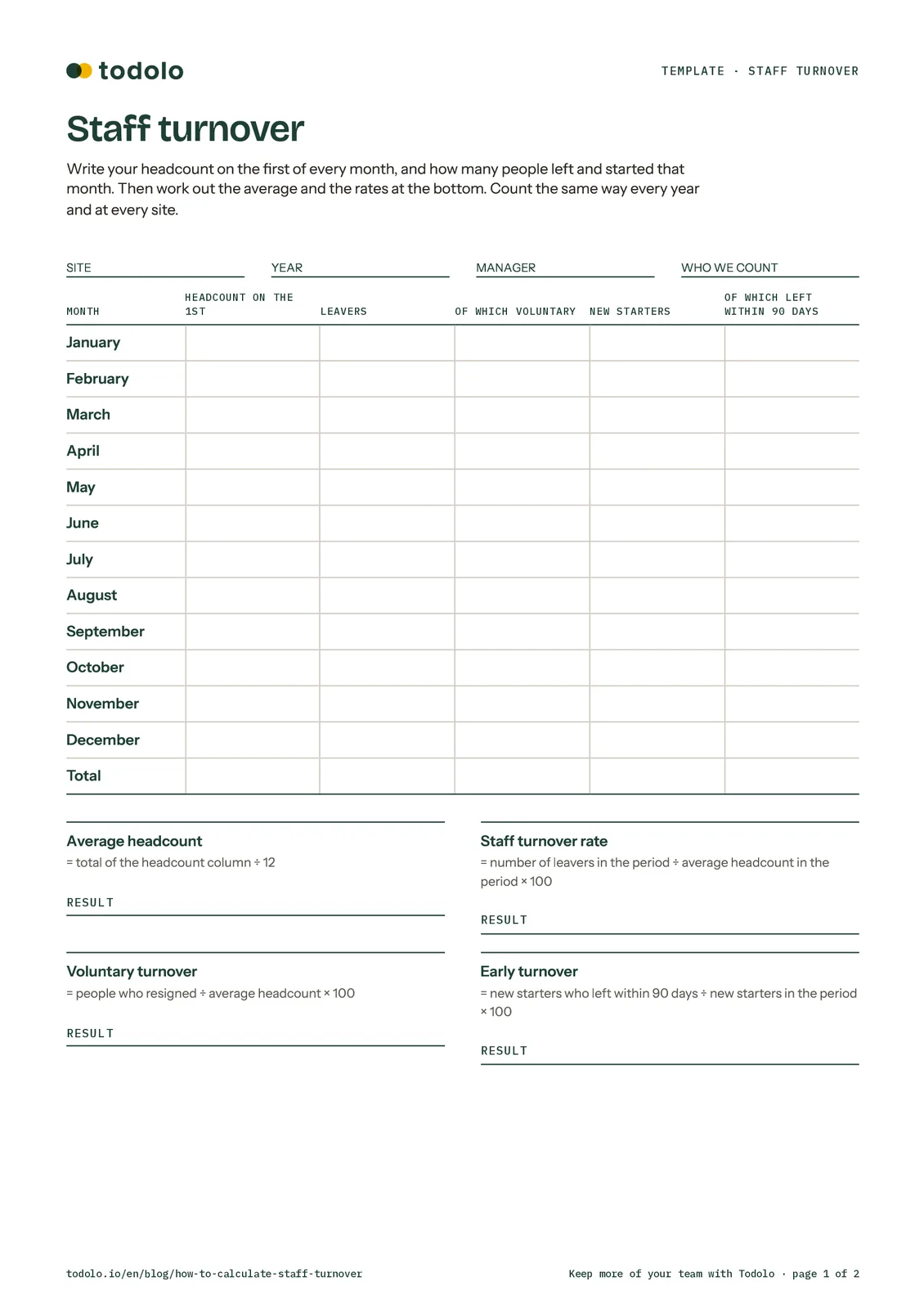
The template is a free two-page PDF: download the staff turnover template (PDF). Page one works out your turnover for the year, with a row per month for headcount, leavers and new starters, and the formulas at the bottom. Page two has a leavers’ log and the costs above, so you can work out what a leaver costs you.
Staff turnover across several sites
Across a group, one number for the whole business isn’t enough. It can look fine while one site loses half its kitchen every autumn. So work it out:
- Per site, with the same rules. Same period, same line for casual staff and the same way of averaging headcount.
- Per role. Kitchen, floor, tills, front desk and stockroom all have different patterns.
- Early turnover per site. It shows where the induction’s working and where it needs another look.
Staff turnover and Todolo
Todolo doesn’t calculate your turnover rate for you. You do that in the template. What Todolo helps with is the stuff that keeps people, in the one app your team already opens for the whole shift.
- Their account is ready before day one. Add a new starter in Planday, Caspeco or Personalkollen and they get a Todolo account automatically, in the right site with the right permissions.
- An induction per role. In People you build learning paths with courses and quizzes they do on their phone, in their own language. You see who has completed what.
- Anonymous pulse surveys. A small rotating set of questions at the cadence you choose. Answers are stored without names and only shown once a group has enough of them. See Todolo’s employee survey software.
- Updates that reach everyone. Posts go out by role and site with read confirmation, and every chat message can be read in each person’s own language. That’s Communications.
- Answers without asking a colleague for the third time. TOD answers from your own handbooks and procedures, in the language the question was asked in.
In thirty minutes we’ll show you how the induction and pulse surveys would look for your sites, ideally before your seasonal staff start.
Common questions about staff turnover
How do you calculate staff turnover?
Take the number of leavers in the period, divide it by your average headcount over the same period and multiply by 100. If 6 people left and you averaged 24 staff, your staff turnover rate is 25%.
What’s a good staff turnover rate?
There isn’t one figure that fits everyone. It depends on your sector, the role and how many people work part time or for a season. Compare against your own rate from last year and between your sites.
Do casual and zero-hours staff count?
That’s your call, but count them the same way every time. In hospitality and retail, leaving them out makes your rate misleading, because that’s often where most people leave.
How often should you measure staff turnover?
Once a year is enough to see the trend. Monthly shows you sooner when something’s changing, but compare each month with the same month last year.
What’s the difference between staff turnover and retention rate?
Turnover counts who left. Retention counts who stayed: the people who were with you at the start of the period and are still there at the end, divided by your headcount at the start, times 100. They’re two views of the same thing, and retention ignores people who joined and left within the period.
Start with this year
You don’t need a system to get going. Print the template (PDF), fill in your headcount on the first of every month and who’s left, and do the sum. It takes half an hour, and then you’ll know where you stand when next year’s budget goes in.